


AI Sniper. Automatic Smart Expert Advisor for Metatrader.

MetaTrader Freezing? Universal Fix: Terminal Freeze and Crashes

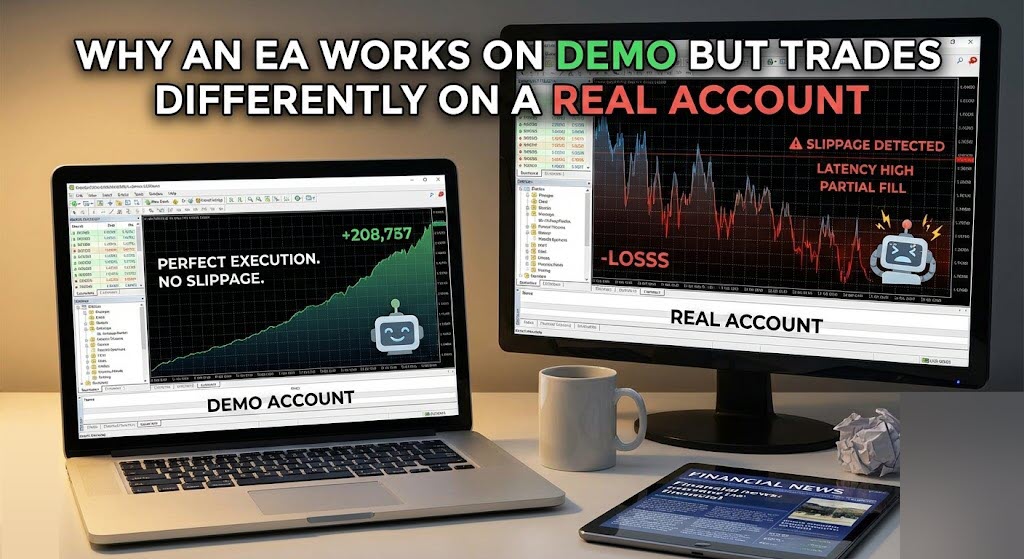
Demo trading, real trading, and Strategy Tester results often diverge—even with the same Expert Advisor. This is normal in Forex/CFD infrastructure.
The key is understanding what changes between environments and how to validate your setup in MT4/MT5.
In short
If you wonder why an EA works on demo but not real, the usual reasons are different quotes and tick history, wider or variable spread, real-life slippage, different execution rules, and broker contract specifications (min stop level, freeze level, commission, swaps).
Strategy Tester can be useful, but it cannot fully reproduce live market microstructure. If you need to compare behavior across accounts or terminals, CopyLot trade copier can help synchronize trade actions—while you still must account for real execution differences like spread and slippage.
Demo vs Real vs Strategy Tester: what is actually different?
Many traders expect identical results if they use the same broker and the same symbol name.
In practice, there are three separate environments:
- Demo account: a simulation environment provided by the broker. Execution may be faster and more “forgiving”, and liquidity/market impact is not the same as real.
- Real account: live execution with real liquidity, real queues, real slippage, and broker-side risk controls.
- Strategy Tester (MT4/MT5): an offline simulation based on historical data. Its result depends on tick quality, modeling mode, and test settings.
The most common misunderstanding: “same EA + same settings = same outcome.”
In live trading, small differences in ticks and execution can flip entries, exits, and trailing logic—especially for scalpers and tick/spread-based systems.
1) Different quotes and different ticks: the hidden driver of different results
Your EA does not trade “price”; it trades the broker’s quote feed and processes the stream of ticks (Bid/Ask updates). When ticks differ, your EA logic can trigger at different moments, or not trigger at all.
You can see my example: Different quotes for 4 identical MetaTrader
Why quotes differ between demo and real
- Different liquidity routing: demo feeds may be aggregated differently or have simplified routing.
- Different symbol settings: even with the same symbol name, contract details can differ by account type.
- Different server clusters: demo and real often run on separate servers with separate data pipelines.
- Different tick density: demo may show fewer/more intermediate ticks compared to real.
Why two “similar” accounts can still show different results
Even on the same broker, two accounts can diverge because of:
- different execution type (instant vs market execution),
- different spread model (fixed vs variable),
- different commission structure (ECN/RAW vs Standard),
- different trading conditions for that account group.
This is exactly why traders sometimes report different results on two identical accounts—they are rarely truly identical in server rules and microstructure.
2) Spread is not constant: why spread-based EAs behave differently
If you run spread-based expert advisors or scalpers, the spread is a primary variable. On demo it can look stable, but on real it can widen at rollovers, news spikes, low-liquidity sessions, or broker risk-off moments.
- Entry filters: if the EA enters only when spread < X, it may trade on demo and stay idle on real.
- Stop/TP feasibility: a wider spread can place your stop/TP too close to price, violating broker constraints.
- Trailing logic: trailing based on Bid/Ask can behave differently when spread changes tick-by-tick.
Practical point: if your EA uses Ask for buy entries and Bid for sell entries (correct behavior), a small spread difference can shift signals. That alone can explain why an EA works on demo but not real.
3) Slippage, requotes, and execution speed: what demo cannot replicate well
Real trading includes live execution mechanics. Demo often reduces these frictions or simulates them poorly. For many EAs, especially those that trade “on ticks,” this becomes decisive.
Key execution factors
- Slippage: your order is filled at the best available price, which may differ from the requested price.
- Requotes (mostly MT4 instant execution): broker can reject or requote during volatility.
- Latency: VPS location, internet route, and server load can change fill timing.
- Partial fills / liquidity gaps: more common on certain instruments or during spikes.
Micro-example: a tick scalper sees a signal for 1–2 seconds.
On demo it gets filled immediately; on real it may get filled late or with slippage, and the exit logic triggers differently.
The strategy is the same, but the environment is not.
4) Contract specification differences: Min Stop Level, Freeze Level, commissions, swaps
Many traders focus only on price charts and ignore broker rules. However, contract specification controls what orders are valid.
| Specification item | Why it changes results |
|---|---|
| Minimum Stop Level | If your StopLoss/TakeProfit/trailing distance is too small, the broker can reject/modify orders or the EA must normalize levels. |
| Freeze Level | Near current price, the broker may block modifications. Trailing and partial close logic can fail or behave differently. |
| Commission | Real accounts (ECN/RAW) often include commission; demo may not. Net results and breakeven points change. |
| Swaps / rollover | Holding positions overnight can generate costs/credits. Demo swaps may differ or be simplified. |
5) Strategy Tester pitfalls: why backtests can look great but live differs
Strategy Tester is a tool, not a guarantee. It is sensitive to historical data quality and modeling assumptions.
Common reasons Strategy Tester differs from live
- Tick history is incomplete or built from 1-minute bars (especially in MT4 modeling modes).
- Spread modeling is simplified (constant or averaged spread), while live spread is dynamic.
- Execution model is idealized: fills happen “too cleanly” compared to live.
- Data source mismatch: tester data is not identical to your broker’s live feed.
So when you see “perfect” tester results but unstable live trading, the question is not “is the EA broken?” but “did the test environment match the real execution conditions?”
Practical checklist: how to diagnose demo vs real differences in MT4/MT5
- Compare symbol specifications on demo and real: contract size, digits, tick size/value, stop levels, freeze level, swaps, commission.
- Log the spread during your trading hours (especially rollovers and news). If spread spikes, spread filters will behave differently.
- Check execution type: instant vs market execution changes behavior for scalpers and fast entries.
- Validate your tick source in Strategy Tester. If you test a tick-sensitive EA with low-quality ticks, results are not transferable.
- Use a VPS close to the broker if latency matters. Even 100–200 ms can change scalping logic.
- Run forward tests on a small-risk real setup rather than relying on tester-only validation.
- Review trade logs: rejected orders, invalid stops, modification errors, “off quotes,” requotes, and freeze-level blocks.
CopyLot practical guide: how to install and copy trades correctly
CopyLot is a trade copier that replicates trading actions from one terminal/account to another. It is useful when you want to:
- compare how the same trades execute on demo vs real,
- mirror trades between accounts or terminals (for example, from a main account to a secondary account),
- separate strategy execution (one terminal manages entries, another manages risk or diversification),
- reduce manual work when you run multiple accounts.
Important clarification: a copier does not guarantee identical profit/loss, because spread, slippage, commissions, swaps, and execution rules can still differ. What CopyLot gives you is a consistent way to send the same trade decisions to another account so you can measure the real differences in execution conditions.
Step-by-step CopyLot installation in MT4/MT5
- Install CopyLot in your terminal. If you purchased/rented via the Market, install it directly from the terminal’s Market/Purchased section. You will typically have two components: Master (sender) and Client (receiver).
- Open two terminals (recommended). One terminal/account will be the Master, another will be the Client. You can run them on the same PC/VPS or different machines, depending on your setup.
- Attach Master to a chart on the source account (demo or real). Use the symbol/timeframe you prefer (CopyLot logic is not tied to indicator visuals; the chart is used as a host).
- Attach Client to a chart on the destination account. This account will receive and execute trade actions.
- Set the same Copy Channel / ID in both Master and Client settings. This is the “pairing” key that tells the Client which Master to listen to.
- Choose the copy mode: copy by symbol mapping (same symbols) or use a symbol mapping table if the broker names differ (for example, EURUSD vs EURUSD.m).
- Configure risk/lot rules on the Client side. Typical options are: same lots, multiplier, fixed lot, or proportional by balance/equity. For demo-vs-real comparison, many users start with same lots to isolate execution differences.
- Enable copying of SL/TP and decide how to handle modifications. If your strategy frequently modifies orders (trailing/partial close), keep modifications enabled—but remember that broker Freeze Level can block changes on the destination account.
- Test with one small trade (manual or EA) on the Master account and confirm that the Client reproduces it. Then verify in the Journal/Experts log that there are no “invalid stops”, “trade disabled”, or “off quotes” messages.
- Run both terminals 24/5. If you use a VPS, keep Master and Client close to the broker server to reduce latency. Stable connection matters for tick-sensitive systems.
You can read more details and see practical scenarios here: CopyLot trade copier.
Will CopyLot make results identical?
No—CopyLot is not a “profit equalizer.”
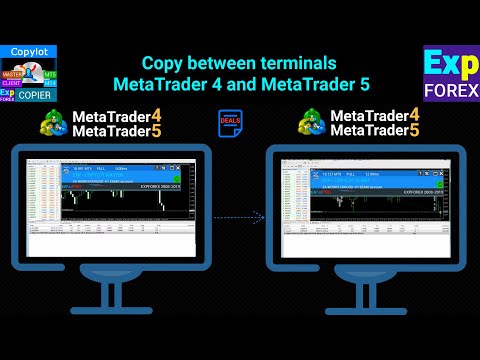
It copies trade intent (open/close/modify actions), but the destination account executes under its own conditions. Results can differ due to:
- Spread differences (especially for scalpers and spread filters),
- Slippage and execution speed,
- Commission structure and swaps,
- Contract specification constraints (Min Stop Level / Freeze Level),
- different symbol naming and tick size/value.
However, CopyLot is extremely useful for diagnostics: if the Client consistently shows worse fills, missed modifications, or rejected stops, you can identify whether the issue is broker conditions, latency, or symbol specification—not the EA logic itself.
Best practices for CopyLot demo vs real comparison
- Use the same broker and the same account type when possible (Standard vs ECN differences matter).
- Start with one symbol and a simple time window to compare execution logs cleanly.
- Keep lot sizing consistent (same lots) to avoid confusion while diagnosing.
- Check the destination account’s Minimum Stop Level and Freeze Level if you copy tight SL/TP or aggressive trailing.
- When copying fast scalpers, use a low-latency VPS and avoid overloading the terminal with heavy indicators.
For tick-sensitive strategies and fast execution scenarios, tools such as TickSniper and AI Sniper are typically evaluated with special attention to spread, tick flow, and broker limitations.
Frequent mistakes that make demo look “better” than real
- Testing a scalper with simplified ticks or fixed spread in Strategy Tester.
- Ignoring commission on ECN accounts and comparing it to a demo with no commission.
- Using too small StopLoss/TakeProfit distances that violate Minimum Stop Level on real.
- Running the EA on a local PC with unstable internet instead of a stable VPS.
- Copying trades between different symbol names without proper mapping (EURUSD vs EURUSD.m).
Important: Forex/CFD trading involves substantial risk. Demo results do not reflect real execution, costs, and market conditions.
Always apply risk management, test responsibly, and use position sizing that matches your tolerance for drawdowns.
Conclusion: what to do if your EA trades well on demo but poorly on real
When a trader asks why an EA works on demo but not real, the answer is usually not a single “bug.”
It is a combination of different quotes, tick flow, live spread, slippage, broker execution rules, and symbol contract specifications.
The more your strategy depends on micro-movements (ticks, spread, fast entries), the more sensitive it is to these differences.
If you want to deepen your understanding and build more stable expectations, start with the Expforex learning materials here:Education section.
If you need a controlled way to replicate trade actions and analyze how execution differs between accounts, useCopyLot with the best practices above. It will not remove spread or slippage, but it will help you prove what exactly causes the difference and tune your setup accordingly.
And if you need an EA adapted to specific broker rules and live conditions, a tailored development approach can be more reliable than trying to force the same settings everywhere: custom EA development.
この記事は次の言語でもご覧いただけます: