
Download Webdings & Wingdings Fonts | Fix EAPadPro Icons

TickSniper optimisation

Optimierungsdatei (SET) für TickSniper MT5 herunterladen
TickSniper optimisation

Optimierungsdatei (SET) für TickSniper MT5 herunterladen

Download SEO download prefix FREE Webdings & Wingdings Fonts | Fix EAPadPro Icons SEO MetaTrader suffix

EXPFOREX Download

Download Webdings & Wingdings Fonts | Fix EAPadPro Icons

Version2020
Downloads1,610
Letztes Update2020 – 6 Februar 2026
Download Webdings & Wingdings Fonts | Fix EAPadPro Icons
Download Webdings and Wingdings Fonts for MetaTrader

2020 – 10 August 2026

Install Fonts for EAPadPRO

If you see incomprehensible symbols or squares instead of icons on the panel, your system is missing standard fonts. Our panel requires Webdings and Wingdings to display the interface correctly.


Installation Guide

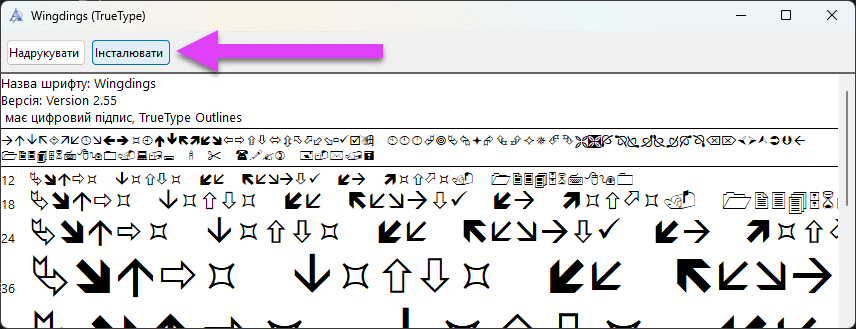
1. Download the font files. 2. Open the file and click the Install button in the top left corner:
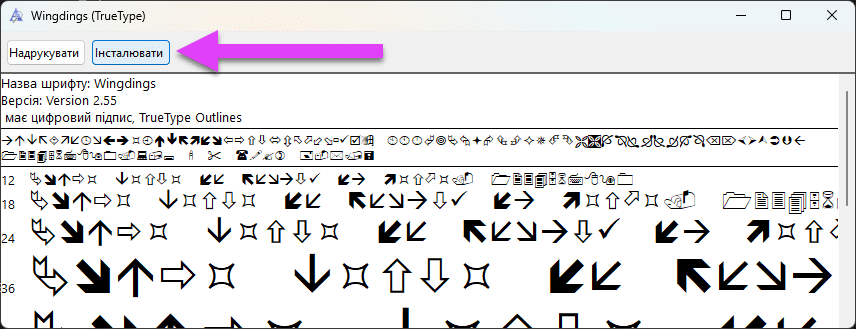
How to Install Webdings Font for MetaTrader

After installation, restart your MetaTrader terminal.


Main Info Manual Settings FAQ

Full Changelog User Reviews

Version2020

Dieser Beitrag ist auch verfügbar auf: English Portuguese Español Deutsch Français Русский Українська Indonesian Italiano العربية Chinese 日本語 한국어 Türkçe ไทย Tiếng Việt


    Bitte warten, Kontaktaufnahme ...


    Risiko-Warnung:


    Die Handelsperformance der Vergangenheit ist keine Garantie für zukünftige Ergebnisse.

    Der Devisenhandel auf Marge ist mit einem hohen Risiko verbunden und eignet sich möglicherweise nicht für alle Anleger.

    Seien Sie sich bewusst, dass der Einsatz von Handelsrobotern ein erhebliches Risiko birgt und Sie mehr als Ihre ursprüngliche Investition verlieren könnten.

    Bitte gehen Sie mit Vorsicht vor, bewerten Sie Ihre finanzielle Situation sorgfältig und ziehen Sie in Erwägung, sich von einem qualifizierten Fachmann beraten zu lassen.

    Haftungsausschluss

    Follow Expforex