
Download Webdings & Wingdings Fonts | Fix EAPadPro Icons

TickSniper MT5용 최적화 파일 (SET) 다운로드
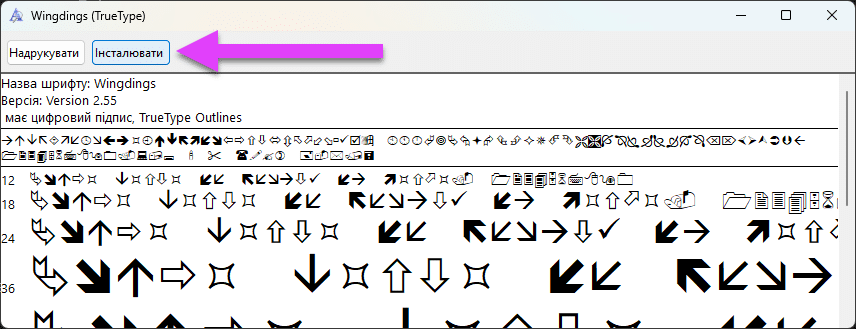
Download Webdings & Wingdings Fonts | Fix EAPadPro Icons
703 다운로드
Download Webdings and Wingdings Fonts for MetaTrader

Install Fonts for EAPadPRO

If you see incomprehensible symbols or squares instead of icons on the panel, your system is missing standard fonts.
Our panel requires Webdings and Wingdings to display the interface correctly.


Installation Guide

1. Download the font files.

2. Open the file and click the Install button in the top left corner:
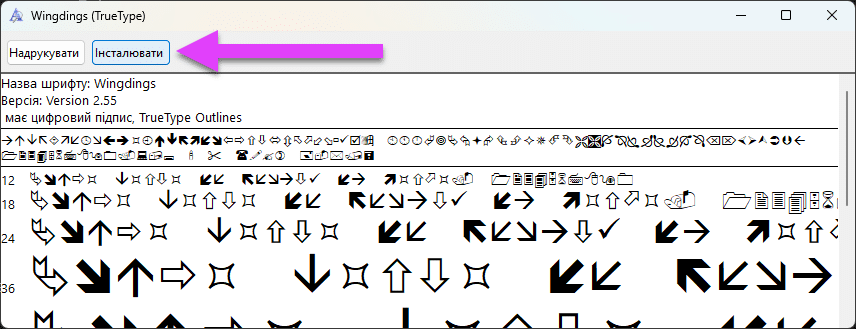
How to Install Webdings Font for MetaTrader

After installation, restart your MetaTrader terminal.


Main Info Manual Settings FAQ

Full Changelog User Reviews

이 게시물은 다음 언어로도 제공됩니다: English Portuguese Español Deutsch Українська Chinese Русский Français Italiano Türkçe 日本語 한국어 العربية Indonesian ไทย Tiếng Việt


    잠시만 기다려 주세요, AI와 통신 중...


    위험 경고:


    과거의 거래 실적이 미래의 결과를 보장하는 것은 아닙니다.

    마진 외환 거래는 높은 수준의 위험을 수반하므로 모든 투자자에게 적합하지 않을 수 있습니다.

    트레이딩 로봇을 사용하면 상당한 위험이 수반되며 초기 투자금보다 더 많은 손실을 볼 수 있다는 점에 유의하세요.

    신중하게 진행하고, 재정 상황을 신중하게 평가하고, 자격을 갖춘 전문가에게 조언을 구하는 것이 좋습니다.

    면책 조항

    이 웹사이트는 귀하의 경험을 향상시키기 위해 쿠키를 사용합니다. 이 웹사이트를 사용함으로써 귀하는 당사의 데이터 보호 정책면책 조항에 동의하게 됩니다.
    더 읽기
