

VirtualTradePad PRO SE
What if every trade inside MetaTrader had one control center?
A professional chart-based trading workspace for MetaTrader 4 and MetaTrader 5. Manual execution, pending orders, partial exits, basket control, AVG levels, ATM rules, signals, live market information, Strategy Tester tools and VPS-oriented workflow.
Not just a trading panel. A full MetaTrader control center.
VirtualTradePad PRO SE connects manual execution, order preparation, basket control, partial exits, averaging logic, time rules, signals and live market information into one professional chart-based workspace.
Act faster from the chart
Open, close, protect and manage trades without jumping between terminal windows. The main actions stay close to the price chart, where the decision is made.
Use modules as one system
POS, ORD, CLP, PART, AVG, ATM, SIG and INFO are not isolated screens. They are parts of one connected trade-management workflow.
Control risk and structure
Work with partial exits, basket profit/loss control, signals, live information, Strategy Tester checks and VPS-oriented configuration more systematically.
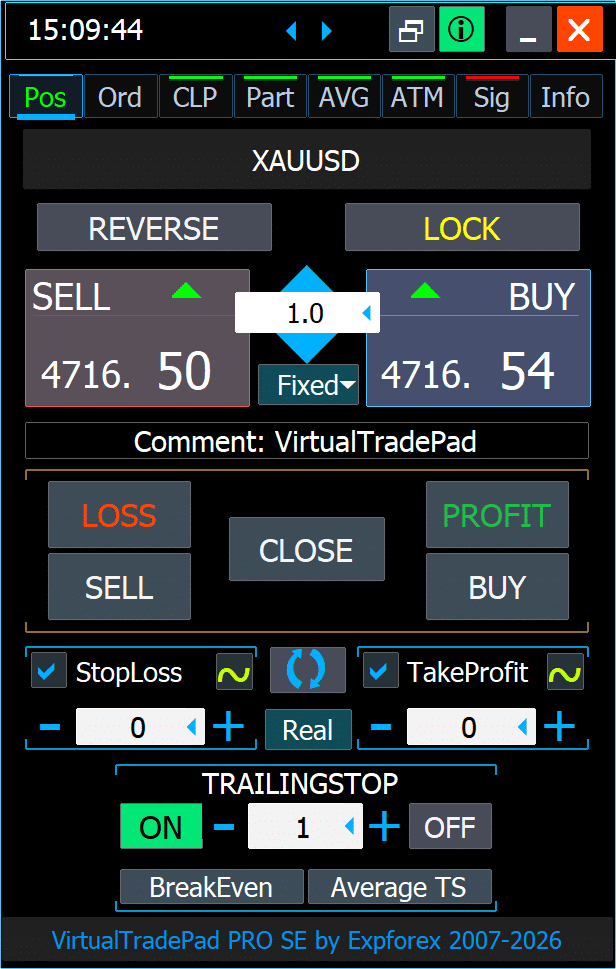
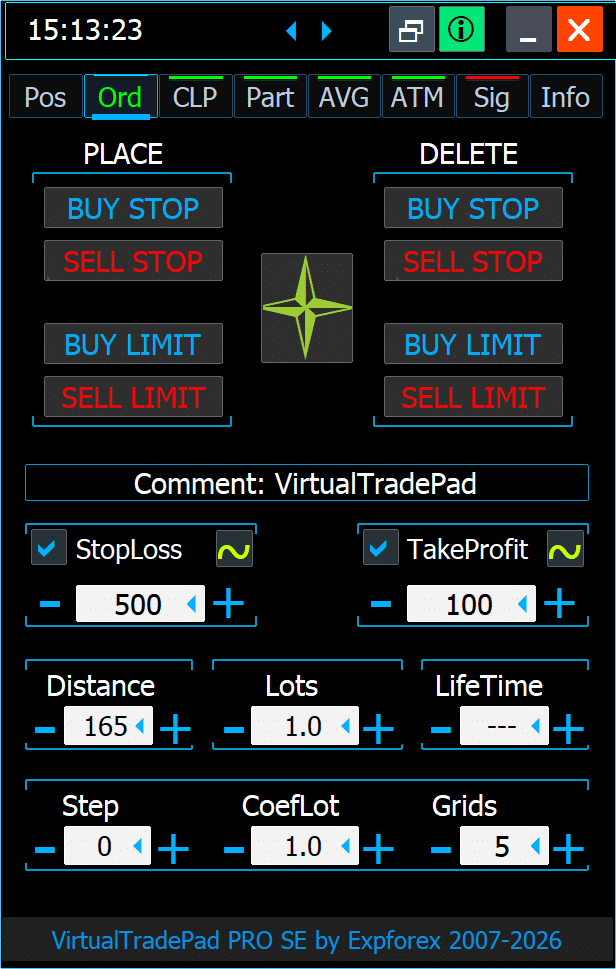
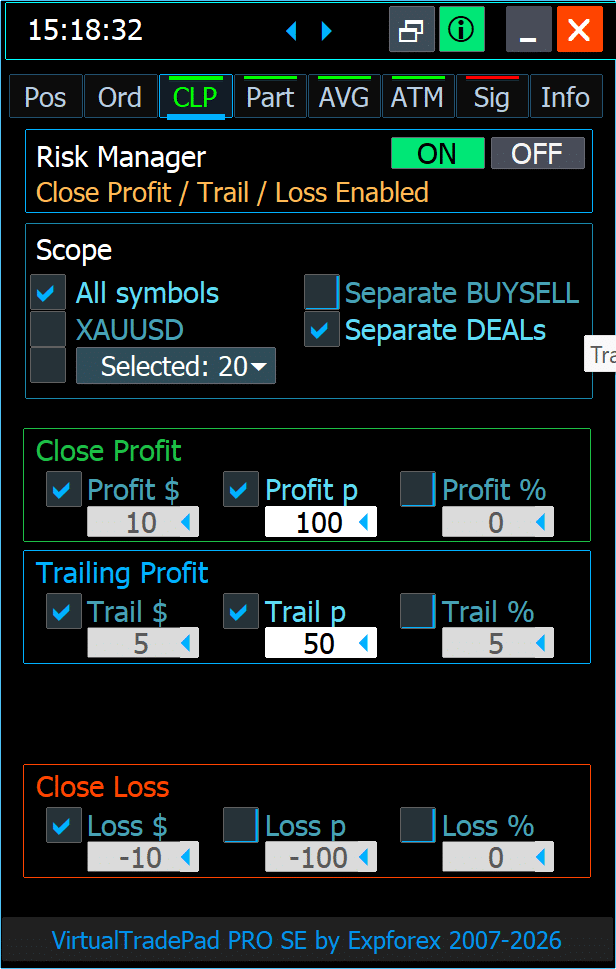
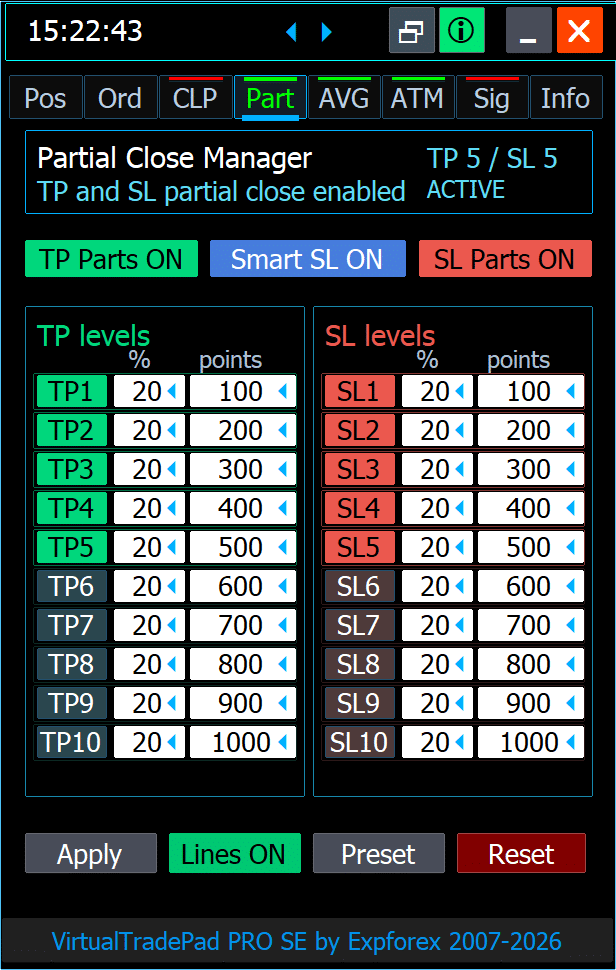
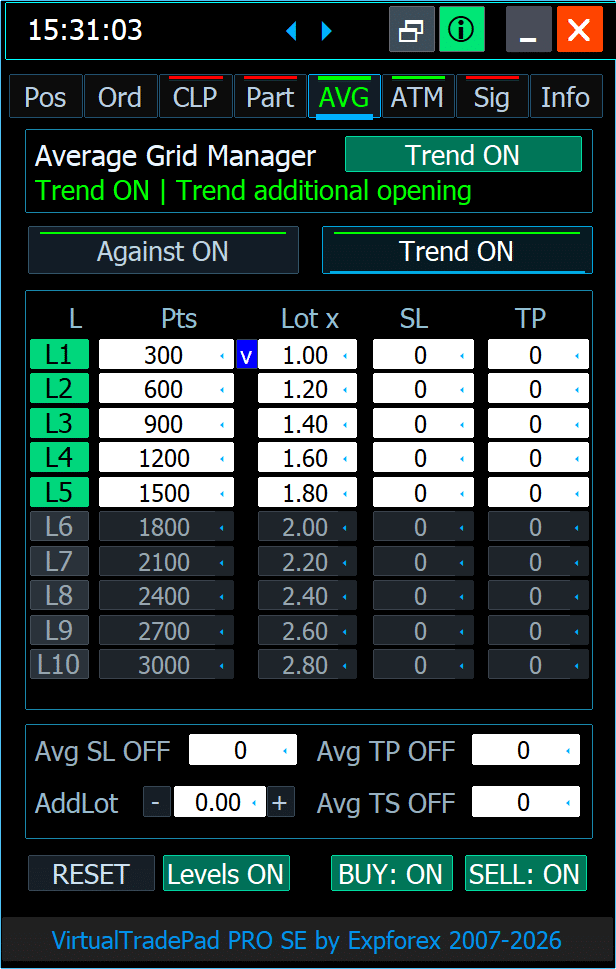
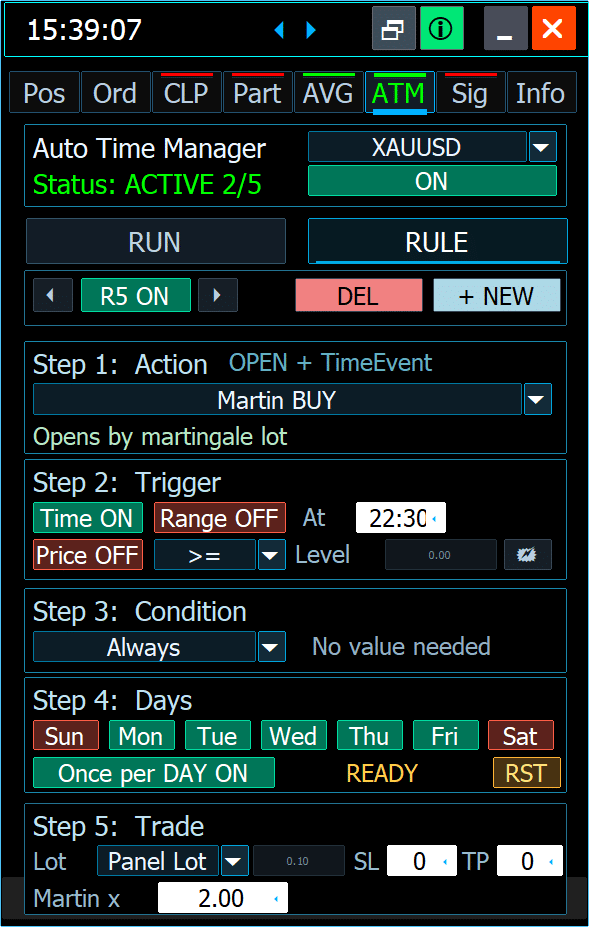
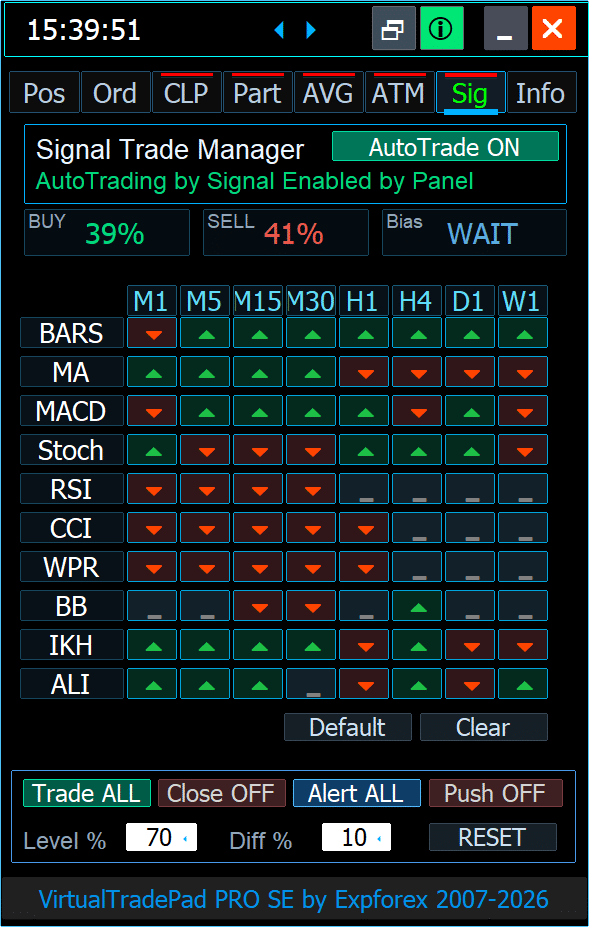
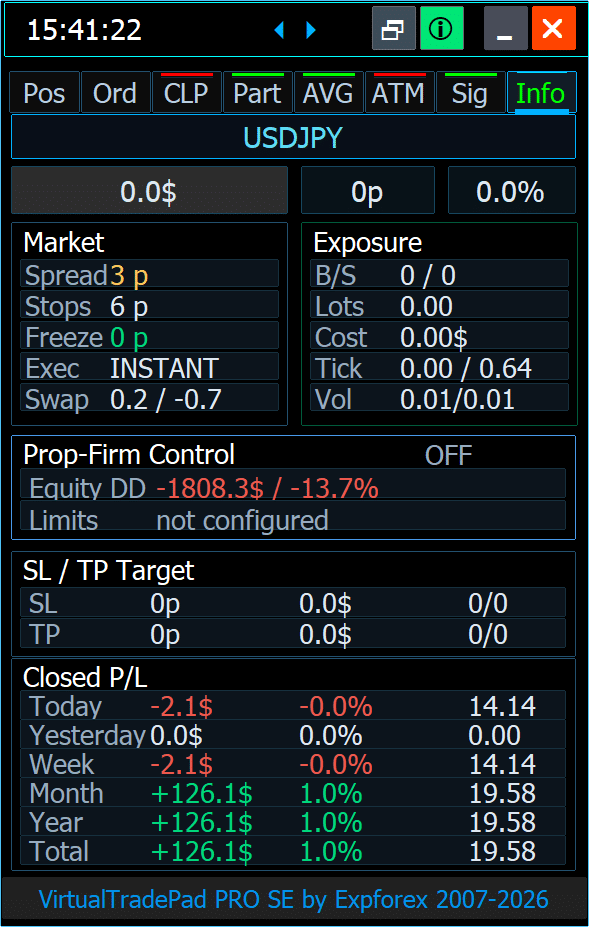
The goal is simple: less fragmentation, more control, clearer decisions.
From market context to trade control — directly on the chart.
VirtualTradePad PRO SE is designed around the real workflow of a MetaTrader trader: analyze the chart, execute trades, prepare orders, protect positions, manage exits, build structured levels and test the complete process.
Analyze the chart
Use chart functions, live information and market context before taking action. Keep spread, levels and key control data close to the trading decision.
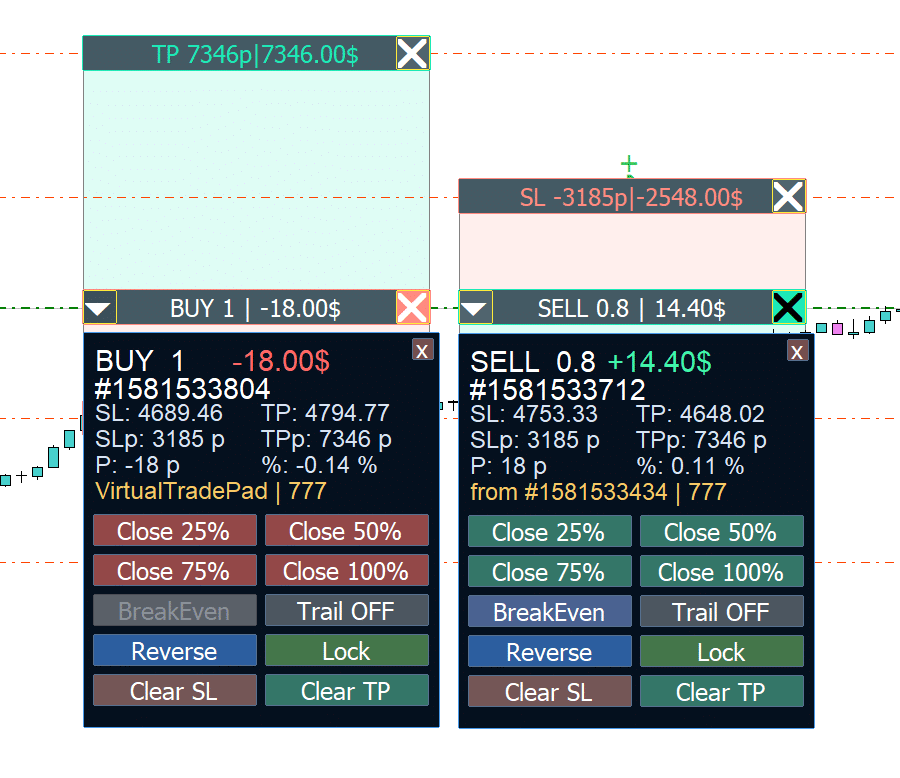
One panel. Different environments. Same professional control.
VirtualTradePad PRO SE is designed to stay practical across multilingual workflows, Strategy Tester scenarios, MQL5 VPS-oriented usage and different screen sizes.
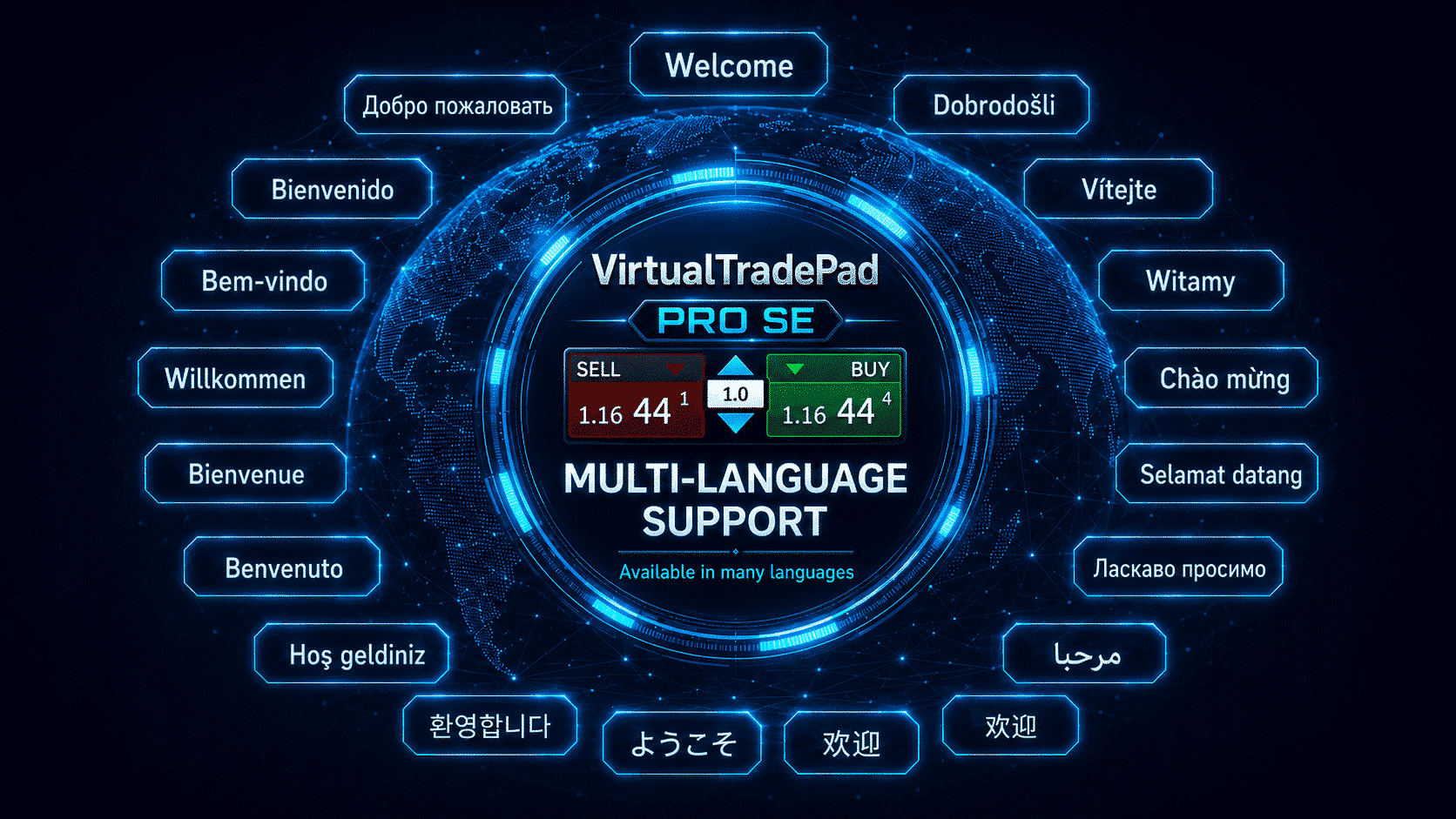
Multi-language workspace
Work with a multilingual interface structure designed for international traders who need a clearer and more comfortable daily workflow.
Important: Strategy Tester and VPS behavior depend on terminal environment, broker conditions and selected settings. Always test your configuration before real trading.
Built as a premium MetaTrader workspace — not just another panel.
PRO SE focuses on quality of daily work: cleaner control, faster interaction, safer configuration handling, optimized drawing logic, visual comfort and long-term product evolution.
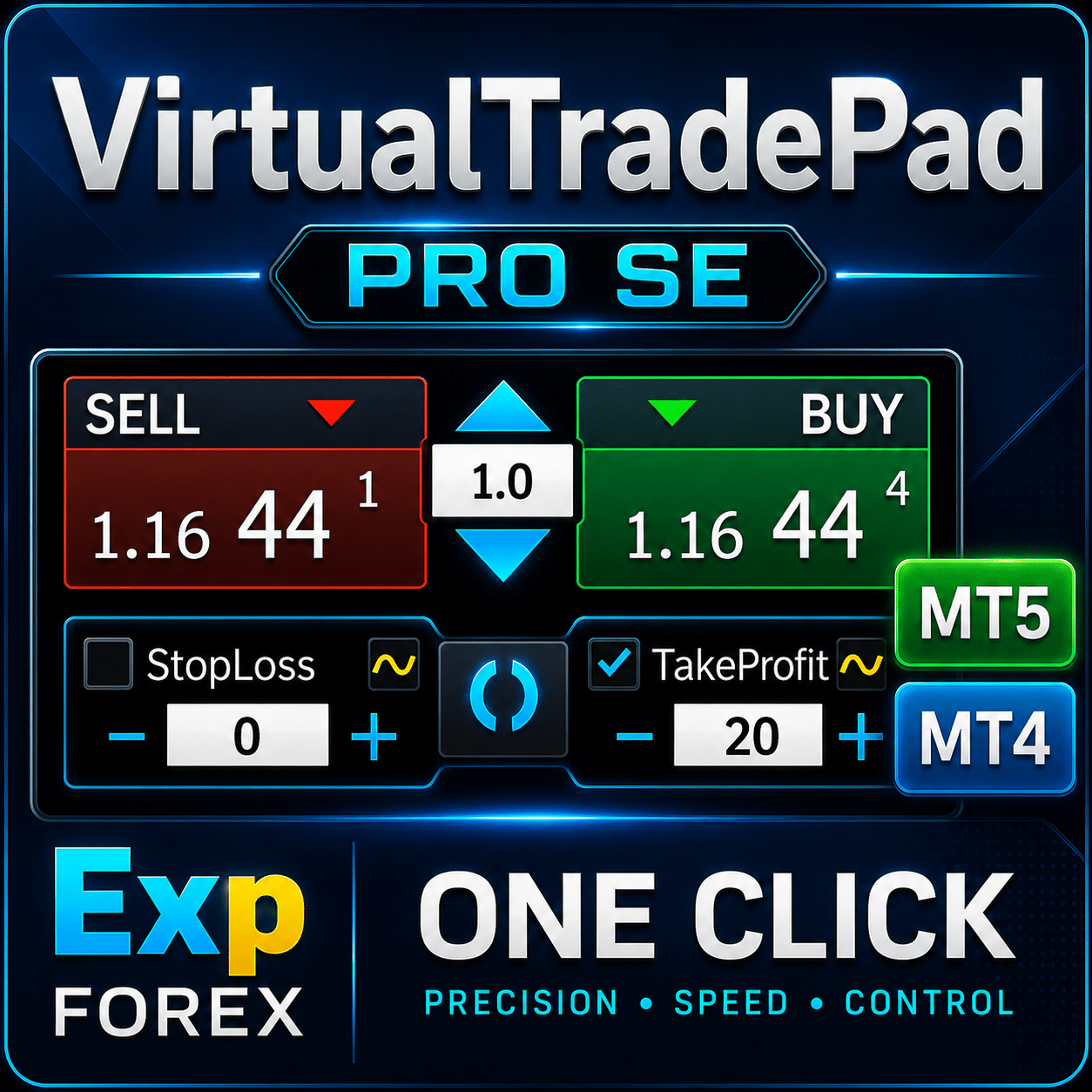
Instant State Restore
Panel settings, selected modes and chart workflow states are designed to be saved and restored more reliably, so the workspace can return to its configured state after reloads or migration routines.
Trusted by MetaTrader traders around the world.
Real feedback from MQL5 users who use Expforex tools for trading, testing, automation and chart-based MetaTrader workflow.

I've been using the MT4/MT5 versions for years now. I could not trade without this tool, its amazing. Otherwise it is a perfect app. Ok it also has a few formatting issues with previews and numbers on the chart, but cmon its an amazing EA and worth your money! One problem I'm having right now though is as follows: If I have my Stop loss set at 100, and my Take profit at 200, when I go to click the "Buy" button, and I show on the chart where my Take profit and Stop loss would be, they are reversed. So for a buy in this case, my Stop loss would show 200, and my Take profit 100, even though that is the opposit for what I have them set at. This goes for clicking the "Sell" button. Basically, the Take profit and Stop loss previews are backwards, which is very frustrating. -Edit: The issue is being worked on, and I'm sure will be fixed soon. Perfect product and great support from the developer :)

wilsonvivas32
I have been tradings since 2019 manually! and was looking for a tool to help me with my manual trades and must said , I am so greatful for this awesome tool! Is not for a beginner but if you have some experience you will greatly appreciate all the posibilities and freedom to place orders fast that left me speechless!P_Morgan
It's a very good tool. The seller answers questions and solves problems clearly.Mohamedshah
I have just purchased VirtualTradePad. I can see that the developer has put a huge effort and commitment to make the Virtual Tradepad perfect in all its parameters and functions available. I have checked many similar EA's in MQL5 and this the only EA I can recommend. Thank You! Vladislav Andruschenko for providing this robust EA at an affordable price.aph.andy
Very good! Have been using it for 3 days, it increases my profits! Thank you very muchaph.andy
Very good! Have been using it for 3 days, it increases my profits! Thank you very muchkpt247
Hi, It's really good EA for manual trading. It's very helpful. Can you add the following functions: 1- Non-stop Auto trading: Buy / Sell / Buy and Sell (also has option to turn ON/OFF filters of some most popular indicators) 2- Auto averaging with: Distance Addition / Distance Martin / Lot Addition / Lot Martin / Max Lot / Max Orders Thank you !klaus_bond
excellent tool. Nearly perfect. What I'm missing is the candle size, the candle body size display on the chart directly near the candlemarlowyip
This is really awesome. The stop loss control was effected by the magic number. Very frustrating to figure that out.kumarmohit111
your work is really great, I salute you 1000 time for your great job, I am using VTP since long. I need your urgent help on below points, I have tried you to contact you many ways, I request everyone to use VTP if you want to be expert enough and very professional, dear vladislav, please look on below request urgent please, now i am requesting you to modify VTP for placing auto pending order once already placed CLP completed. i want four option to be added in CLP setting for placing auto pending order just after auto delete facility given there. the option should be there auto pending order for sell stop, buy stop, sell limit and buy limit separately, so that i can active one or more option simultaneously. note : Activation of auto pending order must start just after running CLP completed and existing pending order deleted, hoping for very positive reply, this is already set CLP for 10 usd profit and 10 % account loss, if this completed successfully there is good setting already given that all pending and active orders deleted self. i want to active pending in auto just after above statement completed, suppose below setting of pending orders i want to active in auto after CLP setting completed, i want to active sell stop and sell limit in auto after already running CLP finished. please do the setting below in CLP options to active pending orders after CLP cycle completed, you can mention four option below the red arrow indicated like 1. active sell stop after CLP 2. active buy stop after CLP 3. active sell limit after CLP 4. active buy limit after CLP i need this all, thanks,Alexander Men
Very useful too for manual scalping. Thank youANARCHITECTS
Excellent trading pad for trading with a lot of features. . . .with really quick and good customer help from the developer himself.Atila R Akdeniz
Excellent Tool, definitely the best on the market. All of Vladislav's products are of excellent quality, and he provides very good support. With the current prices it's a good time to buy all his products.Dave W
This is the best trading pad on the market. So many features, the value is ridiculously good. If you're a manual trader you need this tool.Jo nathan
A must have tool. Works great.



Build your professional MetaTrader workspace with VirtualTradePad PRO SE.
Start with the documentation, download the demo, test your workflow and then choose the official MQL5 license for MetaTrader 4 or MetaTrader 5. All purchase buttons below open direct checkout links, not the public Market product page.
Choose your license
Select the terminal version and license period. Buttons go directly to Buy/Rent checkout.
Everything a trader should understand before using VirtualTradePad PRO SE.
Practical answers grouped by topic: product concept, installation, trading workflow, automation, testing, VPS, risk, purchase and support.
Product concept and interface
What PRO SE is, what it is not, and how to understand the product correctly.
VirtualTradePad PRO SE is a professional MetaTrader workspace built as an Expert Advisor panel for manual trading, order preparation, position management, chart control and advanced workflow modules.
No. The Buy/Sell workflow is only one part of the product. PRO SE also includes modules for pending orders, basket control, partial exits, averaging levels, rule-based management, signals and live information.
No. It is a control and management workspace. The trader is still responsible for the trading idea, risk model, market analysis and final decisions.
Yes. The interface focuses on clear visual states, compact information blocks, chart-based controls and a premium layout intended for frequent work inside MetaTrader.
Beginners can use the basic trading functions, but advanced modules require careful reading of the documentation and testing on a demo account or in the Strategy Tester.
The goal is to combine multiple trade-management workflows into one professional workspace: execution, order planning, partial exits, averaging, rule checks, signals and market information.
Yes. Separate versions are provided for MetaTrader 4 and MetaTrader 5. You should choose the version that matches your trading terminal.
Trading workflow and modules
How traders can use the panel in real chart-based work.
Yes. The product is designed around chart-based interaction, so many trade-management actions, levels and controls stay close to the market view.
POS is the main manual trading workspace. It is used for fast execution, lot control, position actions, Stop Loss, Take Profit and chart-based trade management.
ORD is focused on structured order preparation from the panel and chart, including pending order workflows, distance logic and additional order-planning tools such as Magic Target.
CLP is useful when a trader wants basket-level profit/loss control, close-by-condition behavior or trailing profit logic for selected groups of trades.
PART is intended for structured partial exits. It helps work with multiple partial close levels, visual zones and controlled exit logic instead of closing the full position at once.
AVG provides configurable averaging and trend-add level logic. It should be used only with a tested strategy and risk model, because averaging can increase exposure quickly.
INFO gives a live overview of important chart and account context, such as market parameters, exposure, profit/loss information and additional control data for decision-making.
Testing, automation and environment
How to approach Strategy Tester, VPS, automation and risk-sensitive modules.
It is designed with visual Strategy Tester workflow in mind. Tester behavior can still depend on terminal build, tester mode, broker symbol settings and selected product configuration.
Many visual actions are prepared for tester-style interaction. However, every workflow should be checked carefully because Strategy Tester behavior is not always identical to a live chart.
It is prepared for a VPS-oriented workflow. You should configure the chart, test the behavior, migrate correctly and verify that your selected setup is restored as expected.
The product is designed with configuration persistence and state restoration logic. This is important for reloads, chart workflow continuity and VPS-oriented usage.
ATM is a rule-based management module. If configured and enabled, it can execute actions according to selected rules, so it must be tested carefully before real trading.
Signal-related workflow can be used for monitoring and, depending on settings, for automation scenarios. Traders should clearly understand each setting before enabling automated behavior.
Test lot sizes, order behavior, partial exits, CLP rules, AVG levels, ATM scenarios, signal settings, symbol conditions, broker limitations and VPS migration workflow.
Purchase, documentation and support
How to buy, where to read instructions and how to request support correctly.
Official purchase and rental are processed through MQL5 Market only. Use the MT4 page for MetaTrader 4 and the MT5 page for MetaTrader 5.
Choose the version that matches your terminal. MT4 and MT5 are different platforms, so the product versions are separate.
The full documentation is available on the product documentation page. It contains installation notes, module descriptions, settings, FAQ, changelog and practical usage instructions.
Send screenshots, logs from the Experts and Journal tabs, your settings file if needed, terminal version, symbol name, broker conditions and a clear step-by-step description of the issue.
Use Comments or direct support communication for technical questions. Reviews are intended for rating the product, not for detailed troubleshooting.
Yes. Minimum lot, step lot, stops level, freeze level, execution mode, spread, commission, market hours and symbol settings can affect order placement and management behavior.
Download, read the documentation, test on demo or in Strategy Tester, verify the exact settings you need, then choose the official MT4 or MT5 version on MQL5 Market.
Bu gönderi ayrıca şu dillerde de mevcuttur: