


Why an EA Works on Demo but Trades Differently on a Real Account

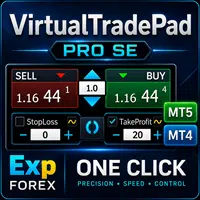
VirtualTradePad PRO SE — Professional MetaTrader Trading Panel for MT4 and MT5
SYMPTOMS: DIAGNOSTIC REPORT .LOG
IF YOU SEE THESE SYMPTOMS, YOUR CORE IS OUTDATED
MetaQuotes frequently updates the Canvas rendering engine for security and performance. Whenever a new core is released, complex EAs like EAPADPRO, COPYLOT and VirtualTradePad lose compatibility with old builds. This is a recurring cycle. The only solution is to maintain Core Integrity via updates.
VERSIONS: CORE VERSION CONTROLLER
SELECT YOUR PREFERRED KERNEL VERSION
Proven stability for VirtualTradePad & Copylot. Download Below.
Latest features, but may have compatibility issues. Click to view Guide.
PROTOCOL B: DOWNLOAD STABLE 5430
CRITICAL STEP: Before downloading, identify your CPU architecture. Installing the wrong version causes crashes.
- Open Terminal -> Journal tab.
- Check the first lines after start.
- Look for:
AVX2orX64.

terminal64.exe in your folder with the file from ZIP.
Don’t restart yet!
MetaTrader will auto-update back to Beta unless you execute the Security Lockdown.
Go to Security LockdownPROTOCOL A: UPDATE TO LATEST (5640+)
Open Demo
Go to File -> Open an Account. Do NOT use “Check for Updates”. We need to force a server handshake.
Connect to MT
Type MetaQuotes and select MetaQuotes Ltd. This server pushes the freshest core files.
Await Transfer
After connecting to Demo, WAIT 10-15 MINUTES. Terminal downloads ~50MB silently. Then Restart.
Verify Version
Open Help -> About. Ensure you see Build 5640. If panels still lag, use Protocol B.


AUTO-UPDATE: PREVENT SECURITY LOCKDOWN
CRITICAL STEP: CREATE A “DUMMY FILE” TO BLOCK UPDATES
THE “DUMMY FILE” TRICK
Simply deleting the folder isn’t enough—MT5 might recreate it. Use this exploit to permanently lock the version:
- Go to your terminal folder (right-click shortcut -> Open File Location).
- Delete the existing
LiveUpdatefolder completely. - Right-click in empty space -> New -> Text Document.
- Name it
LiveUpdate(remove .txt extension). Confirm change. - Right-click the new file -> Properties. Check the Read-only and Hidden attributes. Click OK.
- Restart Terminal. MT5 will try to create the folder, fail (because a locked file exists), and skip the update.
- Open the Journal tab in MT5. You will see errors like
failed to read update container, confirming the download is blocked.
FAQ: SYSTEM KNOWLEDGE BASE
TECHNICAL ANALYSIS, SECURITY & COMPATIBILITY PROTOCOLS
MetaQuotes introduced a major rewrite of the Canvas Rendering Engine. Functions relying on the legacy Windows GDI (Graphics Device Interface) now conflict with the new multi-threaded drawing system. Complex panels like VirtualTradePad use precise GUI libraries that require strict thread synchronization, which was broken in the Beta channel.
Yes, absolutely. This folder only contains the updater binary. Deleting it acts as a mechanical “firewall,” physically preventing the terminal from downloading the unstable beta version again. It does not affect charts, indicators, or trade execution.
No. Your personal data resides in the /MQL5/ and /Profiles/ directories. “Protocol B” (Rollback) only replaces the engine file (terminal64.exe). Your trading environment, open charts, and expert advisors remain 100% intact.
Unlikely in the near future. Build 5430 is the last “Golden Stable” release. Brokers typically support stable builds for 6-12 months after a major core update. By the time they deprecate 5430, MetaQuotes will have fixed the bugs in the new version (e.g., Build 5600+).
Beta builds often contain Debug Code and unoptimized logging, which consumes extra CPU cycles. The new Canvas engine also shifts load from GDI to the CPU/GPU. Rolling back to 5430 usually reduces CPU load by 20-30%, which is critical for VPS users.
Yes. You can use /portable mode. Copy your MT5 folder to a new location (e.g., C:\MT5_Stable\), allow 5430 there, and keep 5640 in your main folder. Create a shortcut with "terminal64.exe /portable" to run them independently.
No. Products compiled on the latest compiler work on older terminals (within reasonable limits). Since 5430 is very recent, all Market products purchased or downloaded will function correctly without “Version Mismatch” errors.
When a stable patch (e.g., Build 5600) is confirmed safe, simply open your installation folder and restore the LiveUpdate folder (or just reinstall MT5 over the existing folder). We will post a “Green Light” notification on this page when it is safe to update.
READY FOR DEPLOYMENT
THESE TOOLS ARE OPTIMIZED FOR YOUR STABLE CORE






One response to “MetaTrader Freezing? Universal Fix: Terminal Freeze and Crashes”
-

Thank you

โพสต์นี้มีให้บริการใน:
Leave a Reply