


下载 The X Universal EA

下载 EA Duplicator
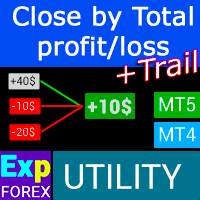
下载 CloseIfProfitorLoss
26.824 – 24 August 2026
下载 Exp CloseIfProfitorLoss (CLP)
访问安全存储库,下载 CloseIfProfitorLoss – MetaTrader 4 和 5 中根据总盈亏自动平仓的基本实用工具。
此软件包包含带有 **利润追踪** (Profit Trailing) 功能的最新可执行文件。
为什么要更新? 通过下载最新版本,您可以确保 虚拟止损 (virtual stops) 和买入/卖出头寸的独立平仓逻辑的正确计算。
获取用于管理基于存款货币或点数的平仓的最新错误修复和性能改进。
更新日志 (Changelog)
-The operation of the panel in the Strategy Tester of the MetaTrader 5 terminal has been fixed after update 6140.
HotFix: Work with the MQL VPS has been restored.
Close If Profit or Loss with Trailing — What’s New
This update focuses on the core Close If Profit or Loss with Trailing workflow, interface stability, profit/loss control logic, trailing behavior, chart interaction, and performance.
⭐ Main improvements
• Premium interface refresh
The panel received a cleaner and more modern visual structure, with better spacing, clearer button states, improved readability, and a more product-grade layout for daily trading control.
• Faster and smoother chart interaction
Internal redraw logic was optimized to reduce unnecessary chart updates. The panel now avoids heavy refresh operations during active mouse movement, object dragging, or chart-based interaction, which helps reduce lag and improves responsiveness.
• Improved profit and loss control workflow
The core Close If Profit or Loss logic was refined to make account, symbol, order, and position control more stable and predictable. Profit target, loss limit, and closing conditions are now handled with improved internal state processing.
• More stable trailing logic
Trailing behavior was improved for smoother control of floating profit and loss. The system now handles trailing states more reliably, helping reduce unexpected resets or incorrect status changes during active market movement.
• Better chart-based object handling
Chart objects, control lines, labels, and panel elements now have safer processing. Object detection, update timing, and refresh logic were improved to reduce accidental conflicts and unnecessary redraws.
• Improved Strategy Tester usability
Visual Tester interaction was improved for panel buttons, object states, and chart-based actions. This makes testing Close If Profit or Loss scenarios more comfortable when standard keyboard or mouse behavior is limited by the Strategy Tester environment.
• More stable event processing
Chart-event routing was improved to make clicks, button states, menu actions, and panel controls more predictable. This helps avoid accidental double actions, missed clicks, or unnecessary updates during active work on the chart.
• Improved runtime state handling
The EA now handles internal runtime states more safely during initialization, reinitialization, timer events, chart events, and trading checks. This improves stability during long trading sessions.
• Better VPS and restart recovery
Saving and restoring of important runtime data was improved through Global Variables and hidden chart objects. This helps preserve important settings and panel state after restart, reinitialization, terminal reload, or MQL5 VPS migration.
• Clearer trade-permission warnings
The initialization and runtime checks for account permissions, symbol permissions, EA trading permissions, and market availability were improved. When trading is restricted, the panel can show clearer warnings without fully removing the interface.
• Optimized information display
Profit, loss, target values, trailing status, order/position information, and current control states are now displayed with more stable refresh logic and better readability.
• Safer object and timer processing
Internal object processing and timer logic were improved to reduce unnecessary load and avoid repeated heavy operations. This helps the EA remain more responsive during active chart work.
• Cleaner internal architecture
The main runtime flow was reorganized into clearer initialization, tick, timer, trade-event, and chart-event layers. This makes the product easier to maintain and prepares the platform for future updates without disturbing the existing workflow.
Result
This version is a large stability and usability update for Close If Profit or Loss with Trailing.
It improves profit/loss control, trailing behavior, chart interaction, Strategy Tester usability, VPS recovery, runtime stability, and information display while keeping the familiar workflow of automatic profit/loss protection and trailing control.
Close If Profit or Loss with Trailing — What’s New
This update focuses on the core Close If Profit or Loss with Trailing workflow, interface stability, profit/loss control logic, trailing behavior, chart interaction, and performance.
⭐ Main improvements
• Premium interface refresh
The panel received a cleaner and more modern visual structure, with better spacing, clearer button states, improved readability, and a more product-grade layout for daily trading control.
• Faster and smoother chart interaction
Internal redraw logic was optimized to reduce unnecessary chart updates. The panel now avoids heavy refresh operations during active mouse movement, object dragging, or chart-based interaction, which helps reduce lag and improves responsiveness.
• Improved profit and loss control workflow
The core Close If Profit or Loss logic was refined to make account, symbol, order, and position control more stable and predictable. Profit target, loss limit, and closing conditions are now handled with improved internal state processing.
• More stable trailing logic
Trailing behavior was improved for smoother control of floating profit and loss. The system now handles trailing states more reliably, helping reduce unexpected resets or incorrect status changes during active market movement.
• Better chart-based object handling
Chart objects, control lines, labels, and panel elements now have safer processing. Object detection, update timing, and refresh logic were improved to reduce accidental conflicts and unnecessary redraws.
• Improved Strategy Tester usability
Visual Tester interaction was improved for panel buttons, object states, and chart-based actions. This makes testing Close If Profit or Loss scenarios more comfortable when standard keyboard or mouse behavior is limited by the Strategy Tester environment.
• More stable event processing
Chart-event routing was improved to make clicks, button states, menu actions, and panel controls more predictable. This helps avoid accidental double actions, missed clicks, or unnecessary updates during active work on the chart.
• Improved runtime state handling
The EA now handles internal runtime states more safely during initialization, reinitialization, timer events, chart events, and trading checks. This improves stability during long trading sessions.
• Better VPS and restart recovery
Saving and restoring of important runtime data was improved through Global Variables and hidden chart objects. This helps preserve important settings and panel state after restart, reinitialization, terminal reload, or MQL5 VPS migration.
• Clearer trade-permission warnings
The initialization and runtime checks for account permissions, symbol permissions, EA trading permissions, and market availability were improved. When trading is restricted, the panel can show clearer warnings without fully removing the interface.
• Optimized information display
Profit, loss, target values, trailing status, order/position information, and current control states are now displayed with more stable refresh logic and better readability.
• Safer object and timer processing
Internal object processing and timer logic were improved to reduce unnecessary load and avoid repeated heavy operations. This helps the EA remain more responsive during active chart work.
• Cleaner internal architecture
The main runtime flow was reorganized into clearer initialization, tick, timer, trade-event, and chart-event layers. This makes the product easier to maintain and prepares the platform for future updates without disturbing the existing workflow.
Result
This version is a large stability and usability update for Close If Profit or Loss with Trailing.
It improves profit/loss control, trailing behavior, chart interaction, Strategy Tester usability, VPS recovery, runtime stability, and information display while keeping the familiar workflow of automatic profit/loss protection and trailing control.
We are excited to introduce new languages to our functionality. Users can now enjoy an even wider range of language options for their convenience and comfort. Here’s the list of newly added languages:
THAI=12, // ไทย
INDI=13, // हिंदी
MALAY=14, // Bahasa Melayu
INDONEZIA=15, // Bahasa Indonesia
ARAB=16, // العربية
VETNAM=17, // Tiếng Việt
BALKAN=20, // Балканский
POLAND=21, // Polski
CHEZH=22 // Čeština
Update your application and enjoy working in your native language! ????
Update Update
ShowInfoClosedPositionSize parameter error fixed
Compiled in the latest terminal version
Updated to ensure compatibility with the most recent terminal release.Global Interface Translation Overhaul
Comprehensive updates to the interface translation across all supported languages.New Languages Added
Expanded language support with the inclusion of new languages.
这篇文章还有以下语言版本: